
1. Start with a photo or idea
Use a photo when a person or object should stay recognizable. Or choose a design direction and let it guide the look.
AI album cover art for musicians
Your sound. Your artwork.Discover a direction that feels like your music.
Or create something entirely your own.
Search public cover directions in natural language. No account needed to browse.
A starting point for your next release
Selected designs from the Covermatic catalog. Make them your own in Studio.
Open to exploreWe couldn't find a match. Try a mood, color, or shorter description—or bring your idea to life with custom artwork.
Create custom artwork ↗Made around your music
Start with an idea, a photo, or a feeling.
Create original artwork for your next release.
Beyond the cover
Turn your artwork into matching release announcements, pre-save posts, and promo graphics.
Explore promo graphicsArtwork in motion. A new way to bring your release to life.
From a direction to your release
Covermatic creates AI album artwork for singles, EPs, and albums. Browse before you sign in, then open AI Studio right here when you're ready to create.
These are cover-art directions from the published Signature catalog. Choose a direction, then customize it with your artist name, release title, photos, and creative brief in Studio. A preview is not a purchased download or an exclusive design.
Browsing is free. Generation and editing use credits; the current standard artwork flow uses 5 credits per attempt. Credits fund attempts, not guaranteed finished covers. Review the cost in Studio before creating. View current credit packs.
You can search, browse, and preview directions without signing in. Sign in to create, buy credits, and access your own artwork in My Art. Your generated files stay in your account.
From your music to your release
Covermatic is an AI album cover generator for musicians releasing singles, EPs and albums. Browse a cover direction or create from an idea, choose a feeling, and add your artist name and release title. We turn those details into a brief you can review before creating.
Use a photo when a person or object should stay recognizable. Or choose a design direction and let it guide the look.
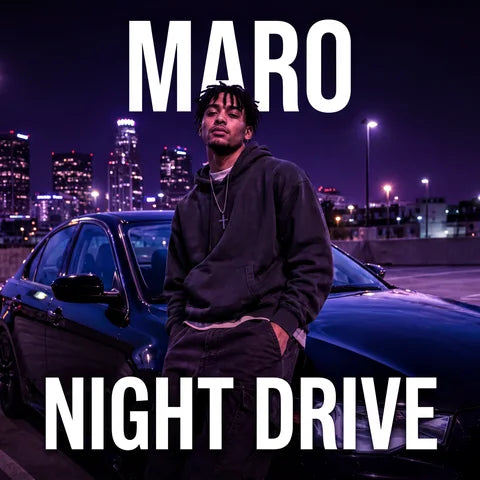
Add the artist and release details. Review the brief and exact credit cost, generate a cover, then use editing to refine a new version while keeping your original.
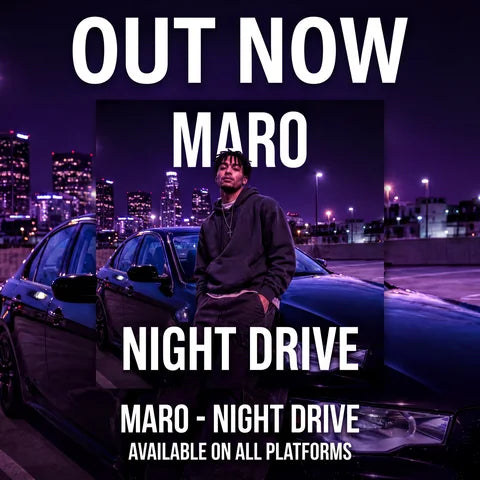
Choose your artwork in My Art to download it or make matching promo graphics. Existing formats include release announcements, pre-save posts, stories and banners.
Before uploading your release, check your cover at thumbnail size, confirm the lettering, and follow your distributor's artwork requirements.
Yes. Choose a feeling or leave the creative choices to Covermatic. A selected design, your release details and optional photo become a brief automatically. You can read and edit that brief before submitting.
Search accepts song names, moods, genres, colors and visual ideas. Results are possible directions rather than guaranteed exact matches. Refine your search, or carry the idea into custom creation.
The current standard is 5 credits for one cover, promo graphic or edited version. Existing job handling restores credits for eligible platform failures and missing outputs. A dropped connection may leave a request still processing: check its status before submitting another request. A successfully generated image you want to change can be edited as a separate paid action.
Your creative workspace
Your sound, your vision. Bring them together.
Your work, all in one place
Sign in to see your generated covers and promo graphics. Pick up where you left off, edit a design, or download your next release.
Sign in to My Art Keep exploring coversLoading your artwork…
Your generated artwork will appear here. Create your first cover or start with a design you love.
Create artwork ↗Start custom, browse Signature Covers, or build promo graphics for your rollout.


